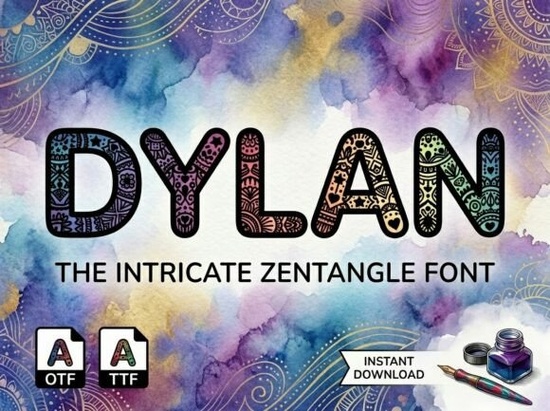
If you need a typeface that doubles as intricate illustration work, the Dylan Font provides exactly that. Designed as a heavy, rounded sans-serif display font, every capital letter is packed with microscopic bohemian lace patterns, floral mandalas, paisley curls, star points, and tiny heart details. It includes a rich, multi-colored watercolor gradient overlay, making it an immediate fit for adult coloring book covers, artisan boho lifestyle packaging, and custom spiritual event signage.
What kind of projects benefit most from these intricate letters?
The extreme level of detail inside each character means this typeface works best when used sparingly. It is built for short, impactful words rather than long paragraphs of text. Print-on-demand sellers creating tote bags or greeting cards often use it for a single focal word, like "Breathe" or "Create." Because of the built-in watercolor effect, the letters already have a finished, painted look that saves time on manual coloring.
Crafting workshop logos also benefit from this dense visual style. When a business wants to communicate a handmade, bohemian aesthetic, the miniature floral mandalas and lace patterns do the heavy lifting. The rounded, tall structure keeps the overall shape friendly and approachable, while the internal patterns add a layer of meditative complexity.
How does it compare to other display typefaces?
Choosing the right lettering depends entirely on the mood of your project. When you need a highly ornate, mystical vibe, checking out the specific details of this bohemian display font helps you understand its unique place in a designer's toolkit. However, not every design calls for heavy watercolor gradients.
If your current work involves a completely different aesthetic, such as varsity athletics or retro sports apparel, you would be better off looking at a chunky athletic lettering style instead. Similarly, holiday crafters making seasonal mugs might lean toward a festive winter typeface to match their winter themes. For those building mystical tarot decks or astrology charts, a delicate celestial serif option often provides the right amount of elegance. Finally, if you want to soften the heavy, blocky nature of complex display letters, pairing them with a relaxed signature script typeface creates a beautiful visual contrast on social media banners.
What are the best practices for printing complex lettering?
Working with patterns inside the letterforms requires a bit of technical care, especially for small businesses producing physical goods. Because the characters are filled with tiny stars and paisley curls, printing them too small will cause the details to bleed together into a solid block of color.
- Scale appropriately: Keep the text large. This font is designed for titles, headers, and main focal points.
- Check your contrast: The multi-colored watercolor gradient overlay is vibrant. Place it against solid, neutral backgrounds like cream, soft grey, or deep navy to ensure the intricate lace patterns remain visible.
- Limit your word count: Stick to one to three words per design. The complexity of the letters makes long sentences difficult to read and visually overwhelming.
- Test your print resolution: Whether you are printing stickers or large event signage, always export your files at 300 DPI to preserve the microscopic floral details.
How can I customize the gradient overlay?
Many designers assume that a pre-colored font cannot be changed, but you usually have options depending on your software. If the file is an OpenType SVG font, programs like Adobe Illustrator will allow you to select the gradient layer and adjust the hues to match your brand palette. If it operates as a standard image overlay, you can use blending modes in Photoshop or Canva. Setting the text layer to "Multiply" or "Overlay" over a solid color block can shift the watercolor tones while keeping the original shading intact.
This flexibility is incredibly useful for independent crafters who need to create multiple color variations of a single design for an online store. You can quickly generate a warm sunset version for a summer collection and a cool blue version for a winter release, all using the same base typography.
Quick setup checklist for your next project
Before you finalize your next bohemian design, run through these quick steps:
- Open a new canvas with a solid background color that contrasts well with watercolor textures.
- Type a single, short word using the all-caps characters.
- Scale the text up until the internal mandalas and heart details are clearly visible without squinting.
- Adjust the gradient hues in your design software to match your specific product line.
- Export a high-resolution test print to verify that the lace patterns do not blur together.
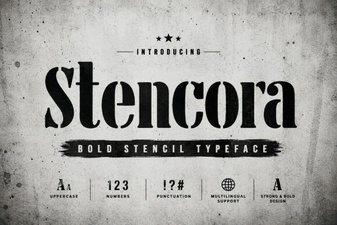 Styling Projects with the Stencora Font
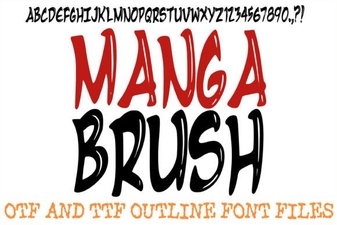 Creative Manga Fonts for Digital Projects
 A Fresh Font for Sweet Summer Creations
 Designing Your Baseball Team's Custom Font
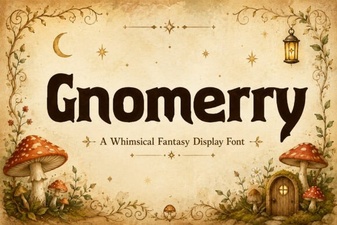 Gnomerry Font: Crafting Creative Typography Projects
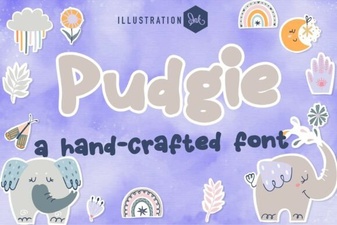 The Pudgie Font: a Playful Typography Choice