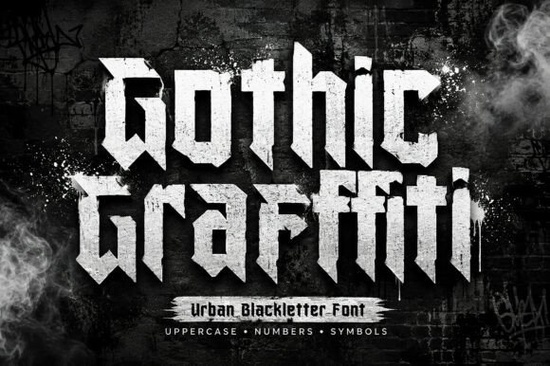
If you need a typeface that balances historical weight with raw street culture, the Gothic Graffiti font is a highly effective choice. This bold urban blackletter display font merges classic medieval letterforms with the aggressive, free-flowing shapes typical of modern spray-paint art. For graphic designers, print-on-demand sellers, and creative hobbyists, finding a typeface that makes a loud visual statement without looking illegible can be a challenge. This specific typeface solves that problem by providing sharp angles and a structured rebellious attitude, making it an excellent fit for projects that require an underground or edgy aesthetic.
What projects work best with this street-style typeface?
Because of its heavy visual weight, this typography shines in applications where you need immediate impact. Print-on-demand sellers often use similar styles for streetwear apparel, such as graphic t-shirts, oversized hoodies, and custom skateboard decks. Apparel brands targeting skaters or street artists can apply these sharp letterforms to woven labels, hang tags, and storefront signage to establish a clear, recognizable brand identity right away.
Music promoters and event organizers frequently rely on aggressive display fonts for album covers, gig flyers, and underground club posters. The medieval influence gives the text a sense of history, while the street execution keeps it relevant to modern youth culture. It is also highly suitable for:
- Tattoo flash sheets and stencil designs
- Gaming graphics, particularly for esports team logos or stream overlays
- Social media content aimed at skate, hip-hop, or street-art communities
- Editorial headers in zines and independent magazines
When building a cohesive brand kit for an edgy clothing line, you might also want to browse other related blackletter styles built for urban aesthetics to find matching secondary typefaces that complement your main logo.
How do you pair an aggressive display font with body text?
Using a heavy, stylized font requires careful layout planning. Because the letterforms have sharp angles and intricate details, they demand a lot of visual space. To prevent your design from looking cluttered, you should pair this display font with highly legible, minimalist typefaces for your body copy.
For example, if you use this font for a bold headline on a concert poster, use a clean sans-serif like Helvetica, Roboto, or Arial for the venue details and date. The contrast between the historical gothic shapes and modern, clinical sans-serif text creates a visually interesting dynamic that keeps the viewer engaged without causing eye strain. A simple monospace font can also work well to add a technical, raw contrast to the medieval shapes. Always ensure there is plenty of negative space around the display text so the aggressive shapes can breathe and remain the focal point of your composition.
Can crafters use this font with cutting machines?
Yes, crafters and hobbyists can use this typeface for physical projects. Standard font files typically come in TrueType (TTF) and OpenType (OTF) formats, which are fully compatible with popular design software like Cricut Design Space and Silhouette Studio. This means you can easily cut the sharp, gothic letters out of adhesive vinyl for custom water bottles, laptop decals, or car windows.
When cutting intricate fonts with a vinyl plotter, it is important to remember that very sharp or tiny angles might tear during the weeding process. To get the best results, keep your text size relatively large and use high-quality vinyl. Additionally, if you are doing heat transfer vinyl projects for custom tote bags or denim jackets, the bold nature of this font ensures the design will not easily peel or crack over time, provided you apply the correct heat settings.
What steps should you take before finalizing your artwork?
Before you export your final design, run through this practical checklist to ensure your typography looks professional and balanced:
- Check your contrast: Verify that your background color does not clash with the heavy strokes of the text.
- Limit your usage: Use the display font only for headlines or short phrases, avoiding long paragraphs entirely.
- Test readability: Step back from your screen or print a test copy to ensure the medieval letterforms are easy to read at your intended physical size.
- Adjust kerning: Manually tweak the spacing between specific letter pairs if the sharp angles overlap awkwardly.
- Proofread carefully: Display fonts can sometimes make spelling errors harder to spot, so double-check all text before printing or cutting.
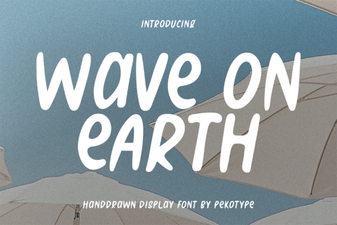 Wave on Earth Font: Creative Typography Projects
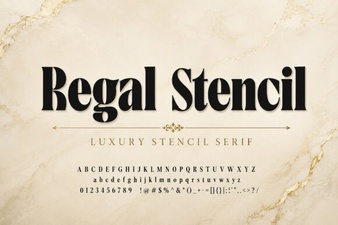 A Regal Stencil Font for Elegant Design Projects
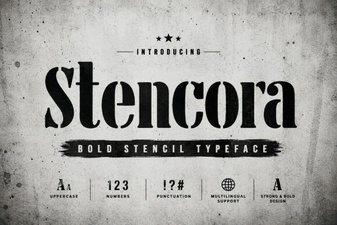 Styling Projects with the Stencora Font
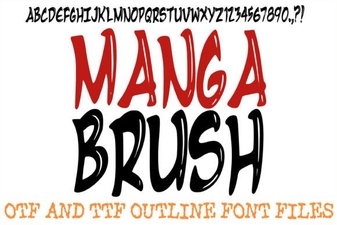 Creative Manga Fonts for Digital Projects
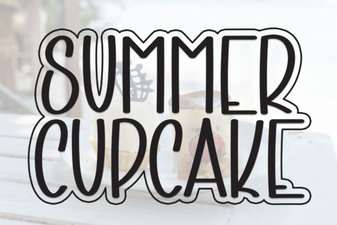 A Fresh Font for Sweet Summer Creations
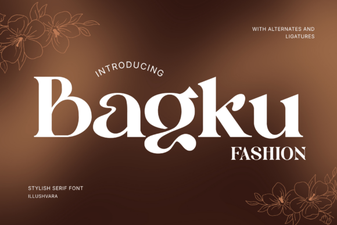 Bagku Font for Creative Fashion Designers