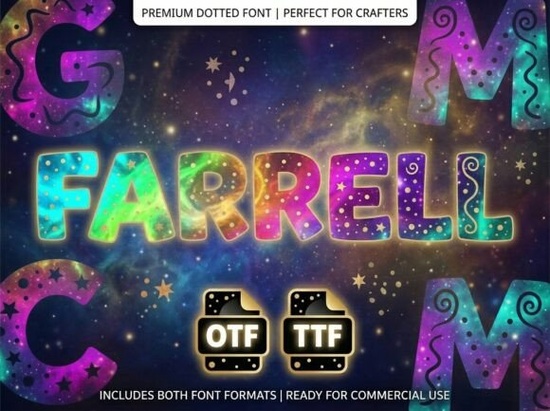
When working on a bold logo or striking packaging, finding the right typography can completely change how your audience perceives your brand. If you need something that immediately grabs attention, the Farrell Font is a decorative display typeface built specifically for high-impact projects. Created for designers and print-on-demand sellers who want a strong visual personality, this ALL-CAPS lettering set skips the lowercase characters to focus entirely on making every single uppercase letter a standalone piece of art.
What kind of projects work best with this typeface?
Because this is an ALL-CAPS display font, it is not meant for long paragraphs of body text. Instead, it shines in situations where you have limited space but need maximum visual impact. Crafters and creative hobbyists often use heavy, decorative lettering for wooden signs, vinyl decals, and custom t-shirt designs. Print-on-demand sellers find that strong, unique typography helps their merchandise stand out in crowded online marketplaces. Small businesses frequently apply it to product labels, business cards, and storefront window graphics to establish a memorable brand identity.
If you are currently exploring this decorative font collection, you will notice that the thick strokes and unique artistic elements make it highly readable from a distance. This makes it an excellent choice for event posters, album covers, and social media graphics where catching the eye quickly is the main goal.
Are the included files compatible with my design software?
One of the most common questions from beginners is whether a new font will work with their specific computer or crafting machine. The download package includes both OTF (OpenType Font) and TTF (TrueType Font) formats.
- OTF files are the professional standard. They work seamlessly with advanced design and layout software like Adobe Illustrator, Photoshop, and InDesign. These files support advanced typographic features, which is helpful if you are doing complex layout work.
- TTF files offer universal compatibility. Whether you are using a Windows PC, a Mac, or web-based tools like Canva, the TTF format will install and function without issues. It is also the preferred format for most desktop cutting machines used by crafters.
Having both formats ensures you can install the Farrell Font on virtually any device and start designing right away.
What should I know before using an uppercase-only font?
The most important detail to remember is that this typeface does not include lowercase letters. When you type on your keyboard, every character will automatically appear in uppercase. This is intentional. The designer created each capital letter with specific artistic details that would not translate well to smaller, lowercase shapes.
Because of this, you should reserve this typeface for headlines, logos, decorative initials, and short phrases. If your project requires a lot of text, it is usually best to pair it with a clean, simple sans-serif font for the body copy. For instance, if you are designing a boutique coffee bag, use this decorative typeface for the brand name and a highly readable font for the roast details. If you find that this style is slightly too heavy for your specific needs, checking out another unique artistic option might give you the exact balance of bold and subtle you are looking for.
For more details on the exact character map and licensing terms, you can review the official reference page for the Farrell Font.
How do I maintain a professional look with decorative lettering?
Decorative fonts can sometimes look cluttered if you are not careful with spacing and color. To keep your designs looking polished, follow a few basic typography rules. First, give the letters plenty of breathing room. Display typefaces often have intricate details that get lost if the text is crammed into a small corner.
Second, use high-contrast colors. Since the strokes are thick and artistic, placing white text on a dark background (or vice versa) will make the unique elements stand out clearly. Finally, avoid adding extra drop shadows or outlines unless absolutely necessary, as the font already has a strong built-in personality.
Quick checklist before you start your project:
- Check your text length: Ensure you only need the font for short titles, logos, or quotes.
- Install both formats: Install the OTF for professional software and keep the TTF handy for basic editors or crafting machines.
- Pair carefully: Select a highly readable, simple font for any secondary information or body text.
- Test your spacing: Adjust the kerning in your design software to make sure the artistic elements do not overlap awkwardly.
- Review the license: Verify whether your intended use requires a commercial license before selling your creations.
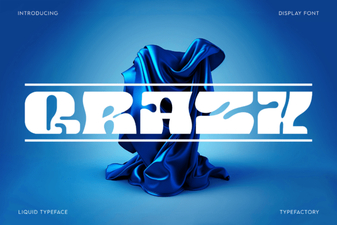 Unlock Creative Design with the Qrazx Font
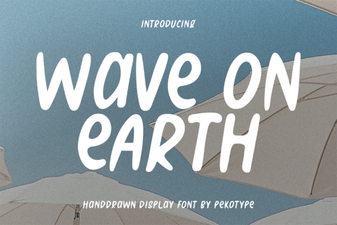 Wave on Earth Font: Creative Typography Projects
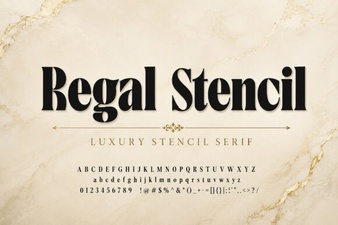 A Regal Stencil Font for Elegant Design Projects
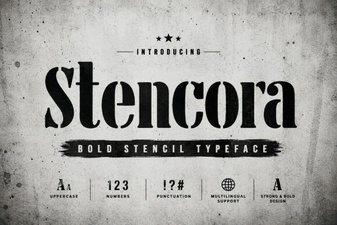 Styling Projects with the Stencora Font
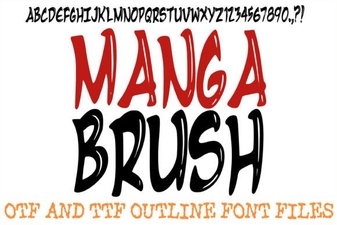 Creative Manga Fonts for Digital Projects
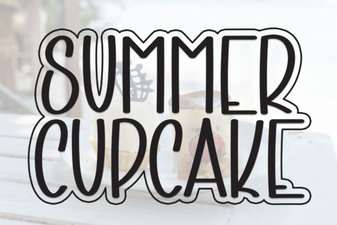 A Fresh Font for Sweet Summer Creations